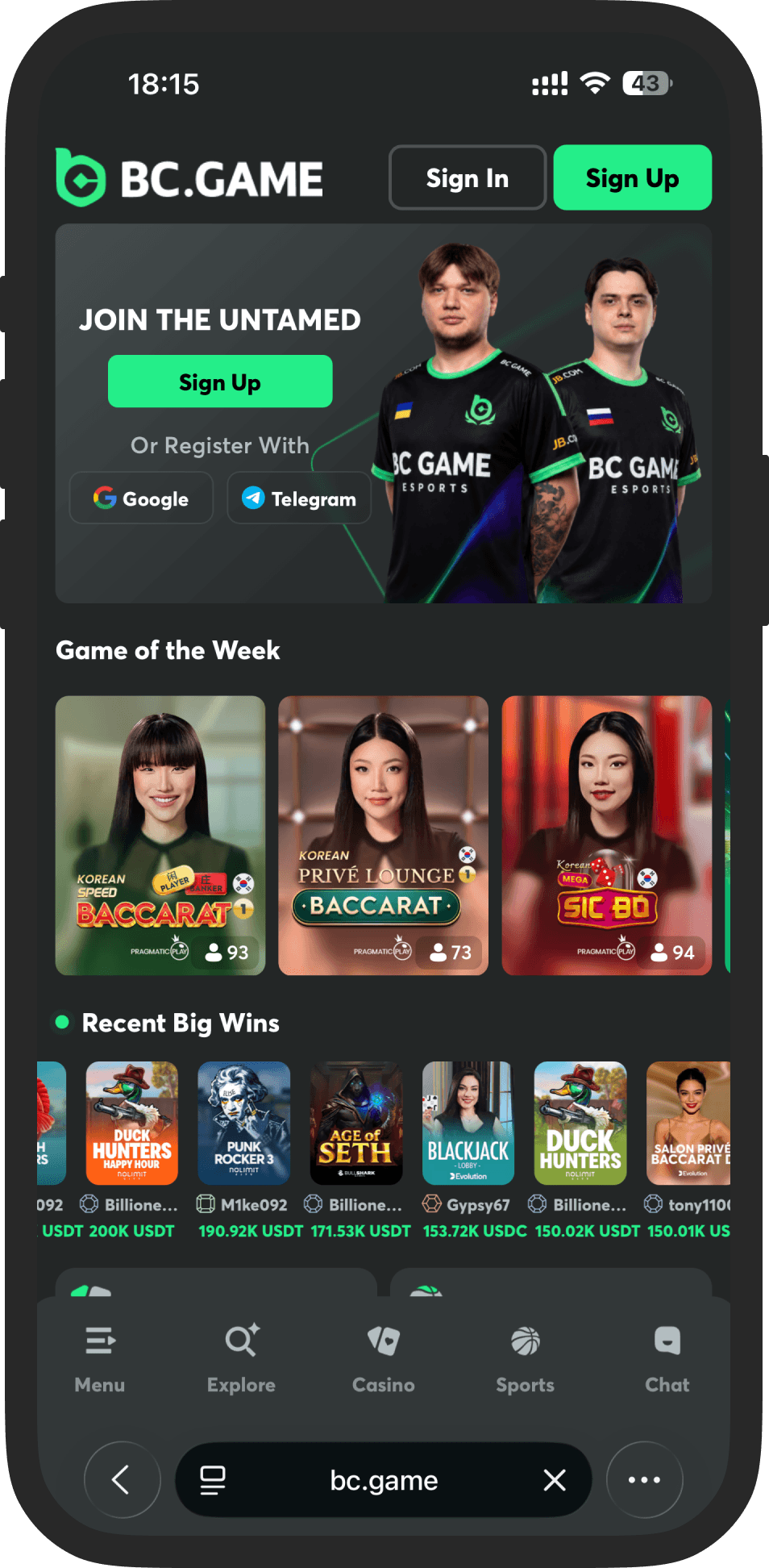
Test navigation before testing game controls
Start with the mobile lobby and follow a short route: open the menu, find a category, use search, inspect a game card and return to the starting page. Check whether closing a panel restores the expected screen rather than leaving an overlay in the way. Search and filters should remain understandable without relying on a desktop-width layout.
Then inspect the game as a separate interface. The provider may place its help, sound and stake controls differently from the BC.GAME navigation. Check the total stake and currency after an orientation change, and confirm that a floating menu does not cover a primary control. Check a narrow portrait view as well as landscape, then record any clipped label, obscured control or missing action. Record the actual browser, viewport and orientation if you describe a specific display issue.
A mobile browser and an app are separate options
Do not assume a search result advertising an APK is an official BC.GAME download. If you need an app, start from the operator’s current official instructions and verify the publisher and distribution route. This review does not host an APK, request installation permissions or claim a verified app-store listing for Nigeria. You can review the mobile web interface independently of an app installation.
Connection quality matters in different ways
A slot help screen and a streamed live table make different demands on a device and connection. Check whether a game communicates an accepted action clearly and read how interrupted rounds are handled. Repeatedly tapping a delayed control can create uncertainty about the action already sent. If the display becomes unreliable, stop new actions and use the game history or official support to check the existing round.
Protect the account on a shared device
Use a trusted device and keep the operating system and browser maintained. Review the security options offered by the account and keep recovery details private. Avoid saving credentials on a shared phone, and sign out when the device passes to someone else. A polished mobile interface does not remove eligibility, payment or verification requirements.
| Mobile area | What to inspect |
|---|---|
| Lobby | Search, filters and navigation |
| Game | Readable stake, rules and result |
| Connection | Accepted actions and interruption rules |
| Access | Official domain and trusted distribution |
Check readability with the settings you actually use
Increase the device or browser text setting to your usual reading size and inspect ordinary paragraphs, terms links and form labels. A screenshot that looks tidy at default scale can still contain controls or text that become clipped at another size. The important question is whether the relevant information remains available, not whether every line stays in exactly the same position.
On a game screen, look closely at stake increments, currency units and confirmation messages. A visually prominent play control does not help if the amount being committed is difficult to read. Where a game offers a full-screen mode, establish how to exit it and return to help before considering any real-money action. This BC.GAME mobile review does not claim a measured loading speed or a tested device list; it provides concrete checks that make such a review reproducible.
Handle a disrupted connection as a record question
A delayed response can leave uncertainty about whether an action was accepted. Stop new actions, note the game and time, and inspect the available round or account history after the connection is stable. Read the game's interruption rules through its help panel or ask official support about the specific round reference. Do not infer the result solely from the last animation visible on screen.
A hypothetical interruption after tapping a control illustrates why this matters: the display might not yet reflect the account's recorded state. Repeatedly tapping, reopening several sessions or switching to an unofficial app makes the sequence harder to interpret. Keep the official route and a concise description of what was visible. On a shared phone, finish by signing out and avoiding saved credentials, so a convenient mobile interface does not become unintended access for another person.
Your questions, answered
Can I download a BC.GAME APK from this review?+
No. This site does not distribute software. Any app should be verified through the operator’s current official instructions.
Does a mobile game use the same interface as the casino menu?+
Not always. Third-party games can have their own controls, help screens and connection behaviour.
What should I check when the mobile menu looks correct but a game does not?+
Treat them as separate interfaces. Record the game title, provider, browser and orientation, then inspect the game help and stake controls. A working casino menu does not establish that every integrated title uses the same layout or supports the same display behaviour.
Does a fast-loading lobby prove reliable live play?+
No. A lobby page and a streamed or interactive game involve different actions and content. Review the actual interface, interruption rules and acceptance messages. This page does not supply measured connection requirements or guarantee that a particular mobile network will provide an uninterrupted session.